The slow part of dictation is the fixing
You dictate three sentences in ten seconds. Then you notice it says Friday and you meant Thursday. So you stop, pick up the mouse, double-click the word, type the new one, and try to remember what you were about to say next.
That one fix cost more time than the dictation did. It is the reason a lot of people try voice typing for a week and go back to the keyboard.
The fix should be as quick as the mistake. You should be able to say “change Friday to Thursday” and carry on.
What you can say now
Gabsy has a new edit engine. You say the change, and it is made to the text that is already there. These all work today in the alpha:
- Fix a word: “Change Friday to Thursday”, “I meant Tuesday, not Thursday”, “Kate is spelled K A T H R Y N”
- Delete: “Delete last night”, “delete the second sentence”, “delete everything after this week”, “keep only the first sentence”
- Add: “Add pm after 3”, “add a comma after hi”, “new paragraph before can we talk”
- Move: “Swap the first two sentences”, “move the last sentence to the start”
- Capitals and punctuation: “Capitalize proposal”, “make urgent all caps”, “put hello in quotes”, “make it a question”
- Lists and lines: “Make it a numbered list”, “put each sentence on its own line”
- Cursor and selection: “Go to the end”, “put the cursor after Sam”, “select the first sentence”
- Several at once: “Change Monday to Friday and delete the last sentence”
- Undo: “Scratch that”
You do not have to select anything first. You name the words, and Gabsy finds them.
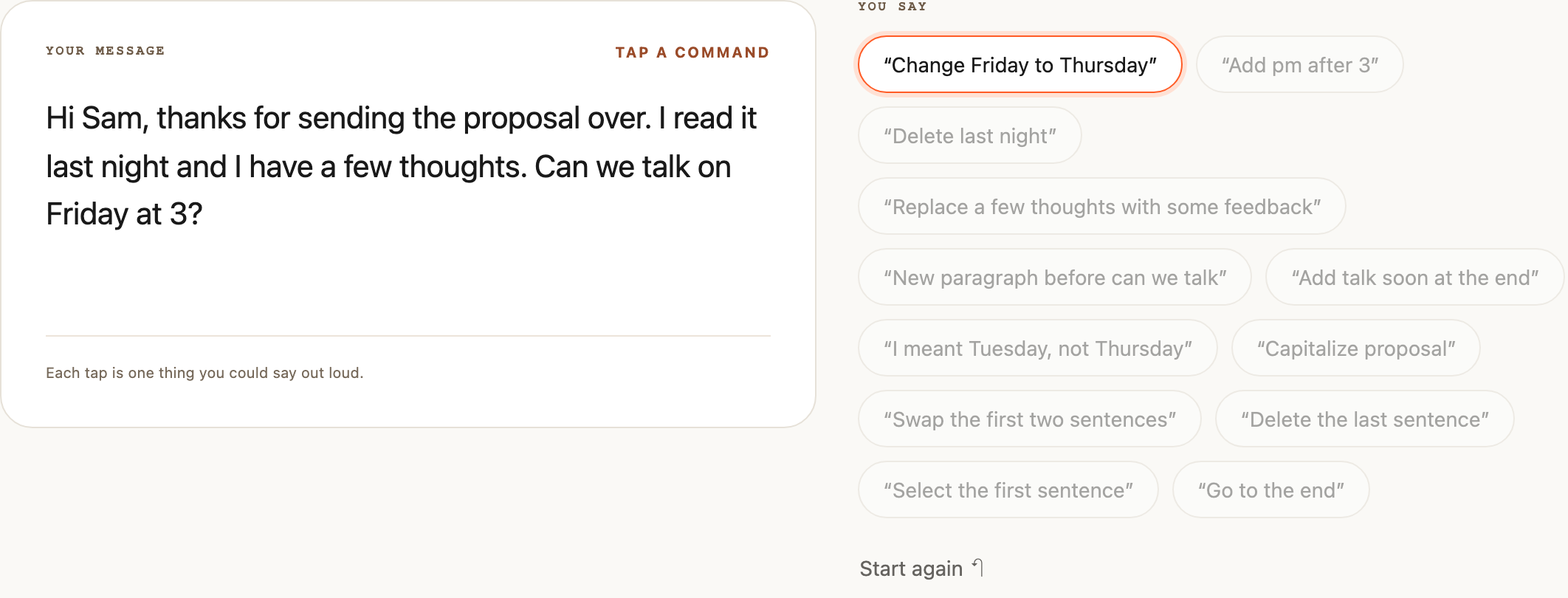
One change at a time
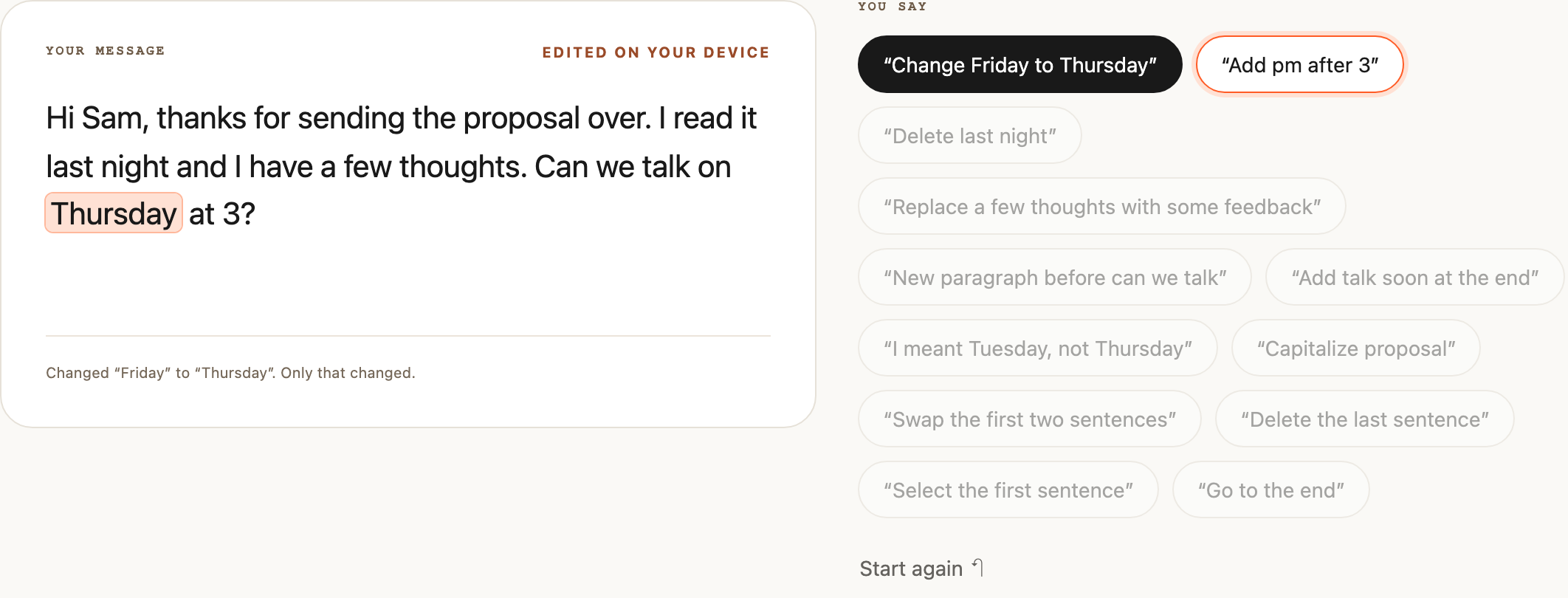
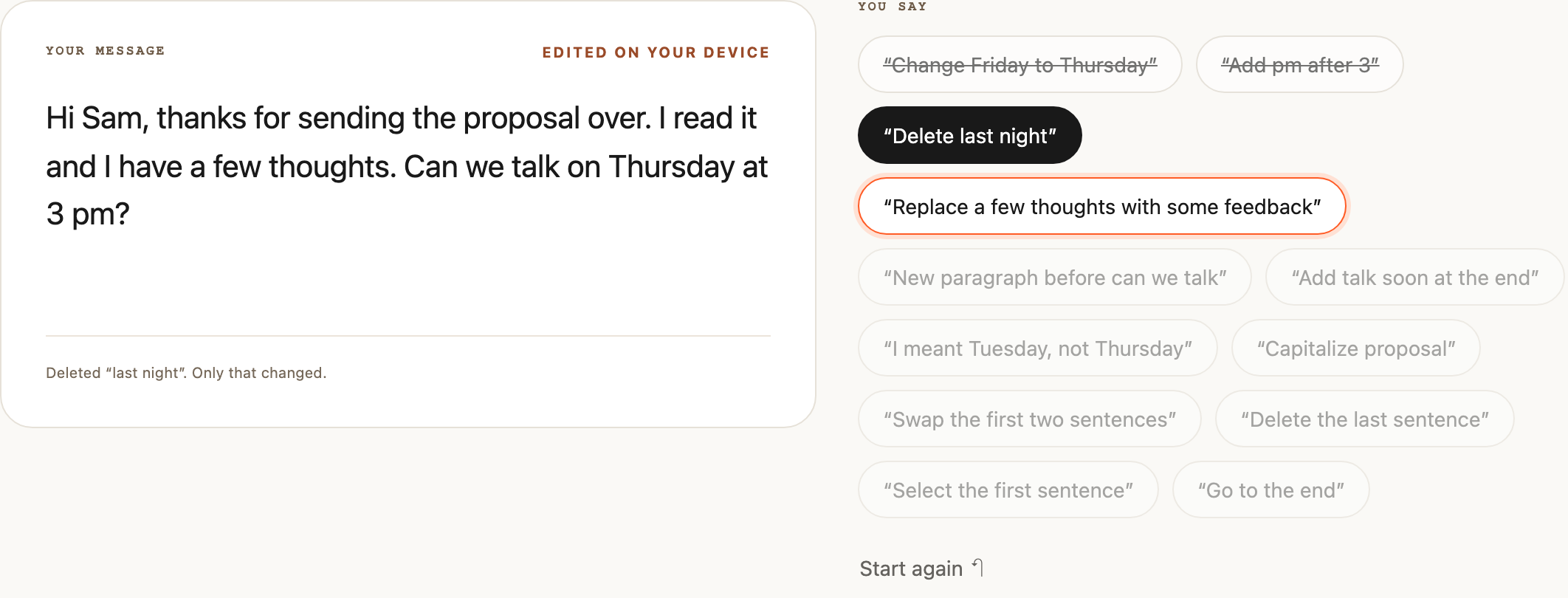
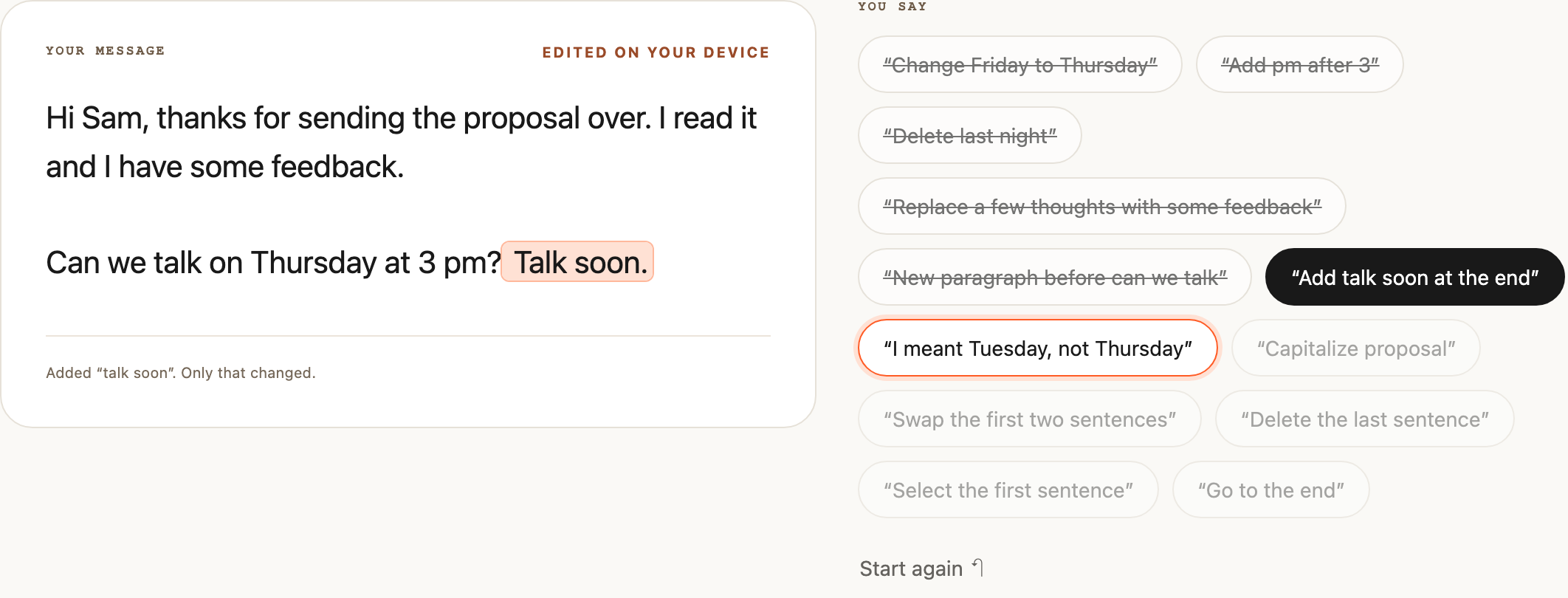
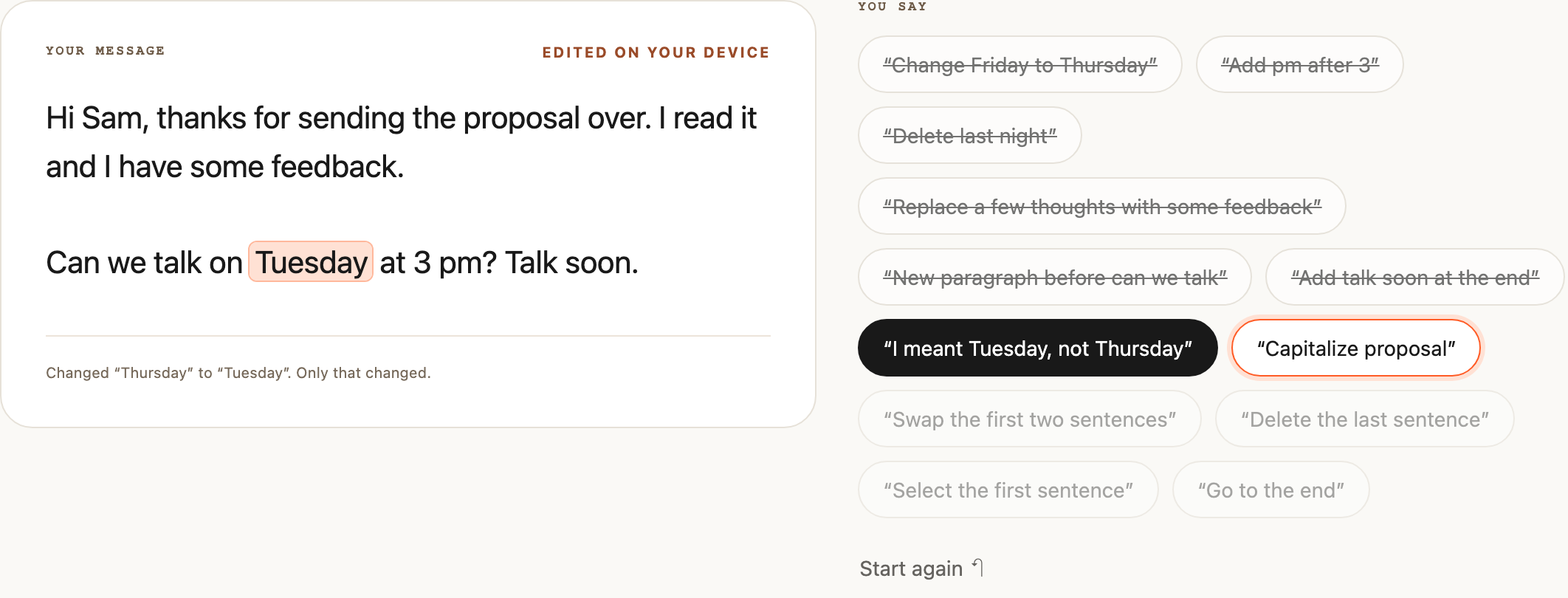
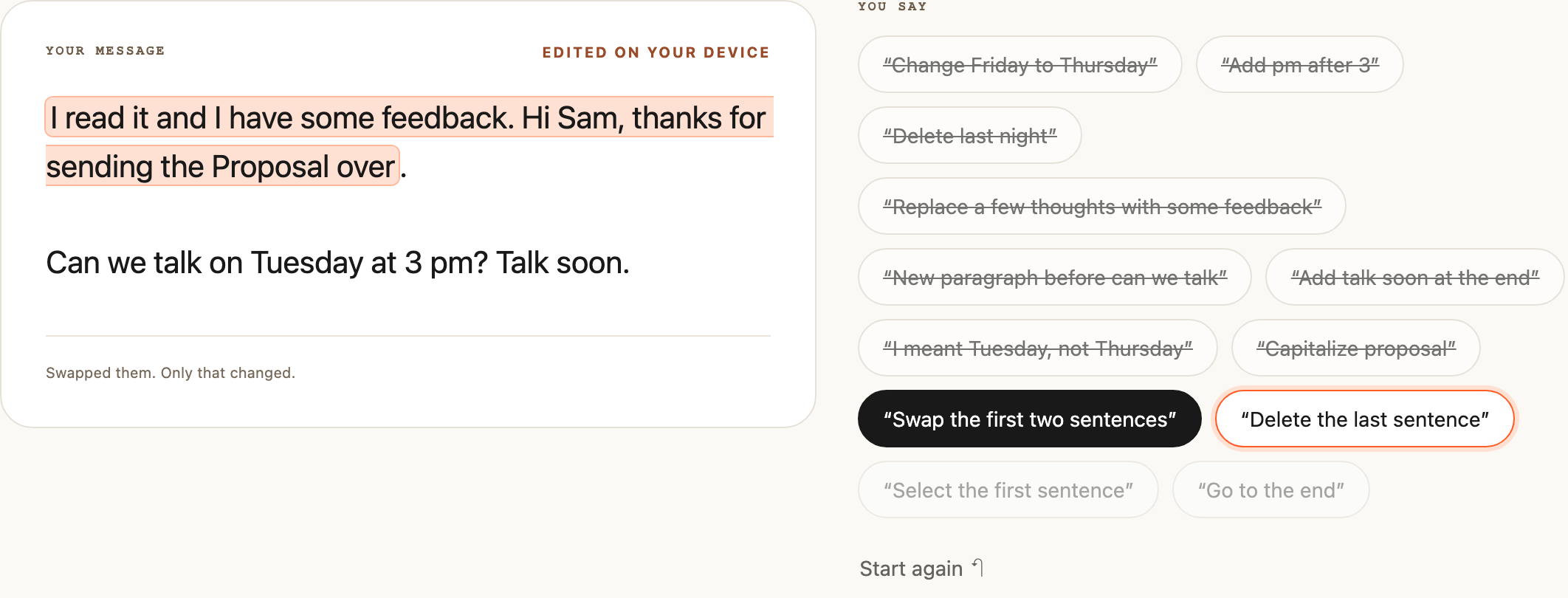
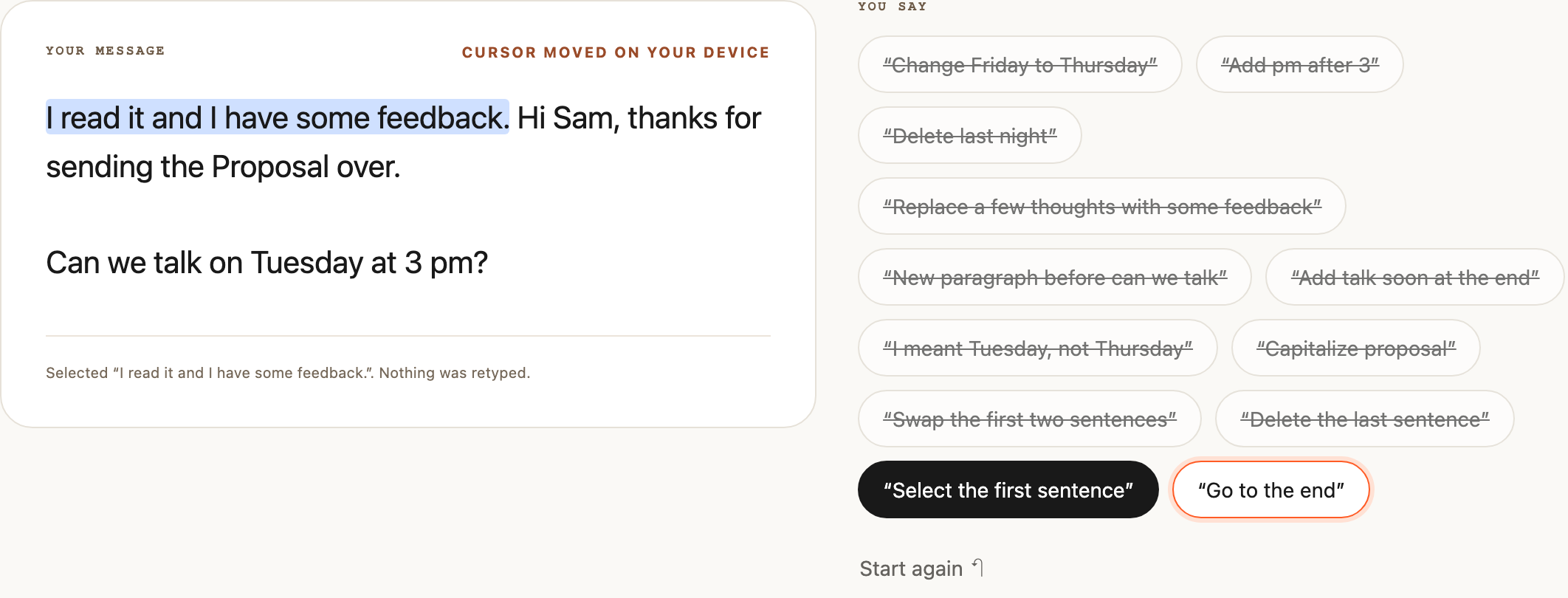
These pictures come from the demo on the Gabsy home page. Every result in it was produced by the same engine that runs in the apps.
It also works when the recogniser mishears you
Speech recognition gets small words wrong, and an edit command is made of small words. So the engine is built to cope with that:
- A misheard target still finds its word. “Change budjet to marketing” changes “budget”.
- Sound-alike words are understood. “Change their to they’re” works whichever spelling the recogniser picked.
- Numbers match however they were written. “Change three to four” changes “3” to “4”.
- “Change Tuesday too Wednesday” works, even though “too” is the wrong word.
If the words you named are not in the text, nothing changes and Gabsy tells you it could not find them.
How other dictation apps edit by voice
I read the public help pages of the apps people compare Gabsy with. I have not run them side by side, so this is what each one says about itself, checked on 10 November 2026.
- Wispr Flow. Command Mode sends your text and your instruction to its model, which writes a new version. Its help page says it is turned on under Experimental settings, is for paid plans, and works on Mac and Windows. The same page says editing in place does not work on iOS.
- Aqua Voice. Edit Mode rewrites text you have selected first. Its guide says selections over 6,000 characters are not edited, and that spoken undo is not supported.
- Superwhisper. Selected text can be given to a mode as context, and the mode’s AI instructions decide what comes back.
- Willow. Its iPhone keyboard has an Edit mode that rewrites selected text from a spoken instruction.
- Google’s keyboard on Pixel phones. This one does make exact edits: “insert”, “delete”, “change … to …”, “spell … as …”, “capitalize” and “undo”. Google lists them for Pixel 8 and later, in US English.
- Windows voice typing. “Delete that”, “select that”, “undo that” and a few key presses.
- Apple Voice Control. An accessibility feature with commands such as “replace cat with dog”. It is separate from the dictation most people use.
So there are two camps. The AI dictation apps hand a selection to a model and paste back a rewrite. The tools built into phones and computers make a few exact edits, on some devices.
Why exact edits matter
When a model rewrites your paragraph to change one word, three things happen. You wait for it. You have to read the whole paragraph again, because any of it might have changed. And your text has usually left your device.
Gabsy does the exact edits itself, with no model:
- It is fast. An edit takes about a millisecond on the device.
- Only what you named changes. The note under the text says what was changed.
- It works offline. Nothing is sent anywhere.
- You do not select first. Say the words and Gabsy finds them.
- It is the same on Mac, iPhone, Windows and Android. One set of commands.
Requests that really are rewrites, like “make it shorter” or “more formal”, still go to the cleanup model, as before. You get both.
How I checked it
The engine is tested against 444 spoken commands, each with the exact text it must produce. The Mac and iPhone engine, the Windows engine and the Android engine all run the same list, and all three pass every case.
The more honest number is how it did on phrasings it had never seen. I wrote two extra batches of commands after the engine was built. It got 94% of the first batch right on the first run, and 86% of a harder batch written the way a recogniser really hands over text. I fixed those misses, but people will say things I have not thought of. When that happens the text is left alone, or the request goes to the cleanup model.
One limit to know about: on iPhone a keyboard is allowed to move the cursor but not to select text, so “select” puts the cursor after the words instead.
Try it
There is a demo on the home page. Tap the commands in order and watch the message change.
Gabsy is in private alpha. If you want exact edits by voice on your own Mac or phone, the waitlist is on the home page too.
Sources and scope
Product documentation checked 10 November 2026. Features and prices can change. This is Gabsy-authored analysis, not an independent review or a controlled comparative benchmark.