"Not another dictation app"
I hear this a lot, and I get it. Your phone already has a microphone button on the keyboard. It's free and it works.
So, honestly: what's the point of Gabsy?
Speech to text is mostly solved. Any decent model can turn your voice into words. What decides whether you actually keep using a dictation app is what happens around those words:
- Where your voice goes. Gabsy's speech model (Whisper Small, 190 MB) and its cleanup model (1.1 GB) both live on the device. Settings tells you so in plain words: "Your voice never leaves it." "Nothing leaves it."
- What comes out the other end. "Tidy my words" removes the ums and uhs, applies your own spellings and snippets, and finishes sentences. If you want every word exactly as you said it, Literal mode leaves it alone.
- What happens when things go wrong. "Recover interrupted dictations" keeps the audio of the dictation in progress until your words are delivered. If the app crashes or the battery dies halfway through a 20-minute brain dump, you don't lose it. The audio is deleted right after.
- What you can do next. Save the draft as a note, send it to Claude Code or Codex as a prompt, or use a different mode for email and for chat.
None of that is about recognition. It's about all the small things a dictation app has to get right. That's what I spent last night on.
The test: a silent pass on a Galaxy Tab
The Android version runs on phones, but a tablet shows every layout shortcut you took. So I installed build 84 on a Samsung Galaxy Tab and screenshotted every screen in light mode, dark mode, portrait and landscape.
It was a silent pass: no audio, no microphone, nothing recorded. Just the screens, looked at closely.
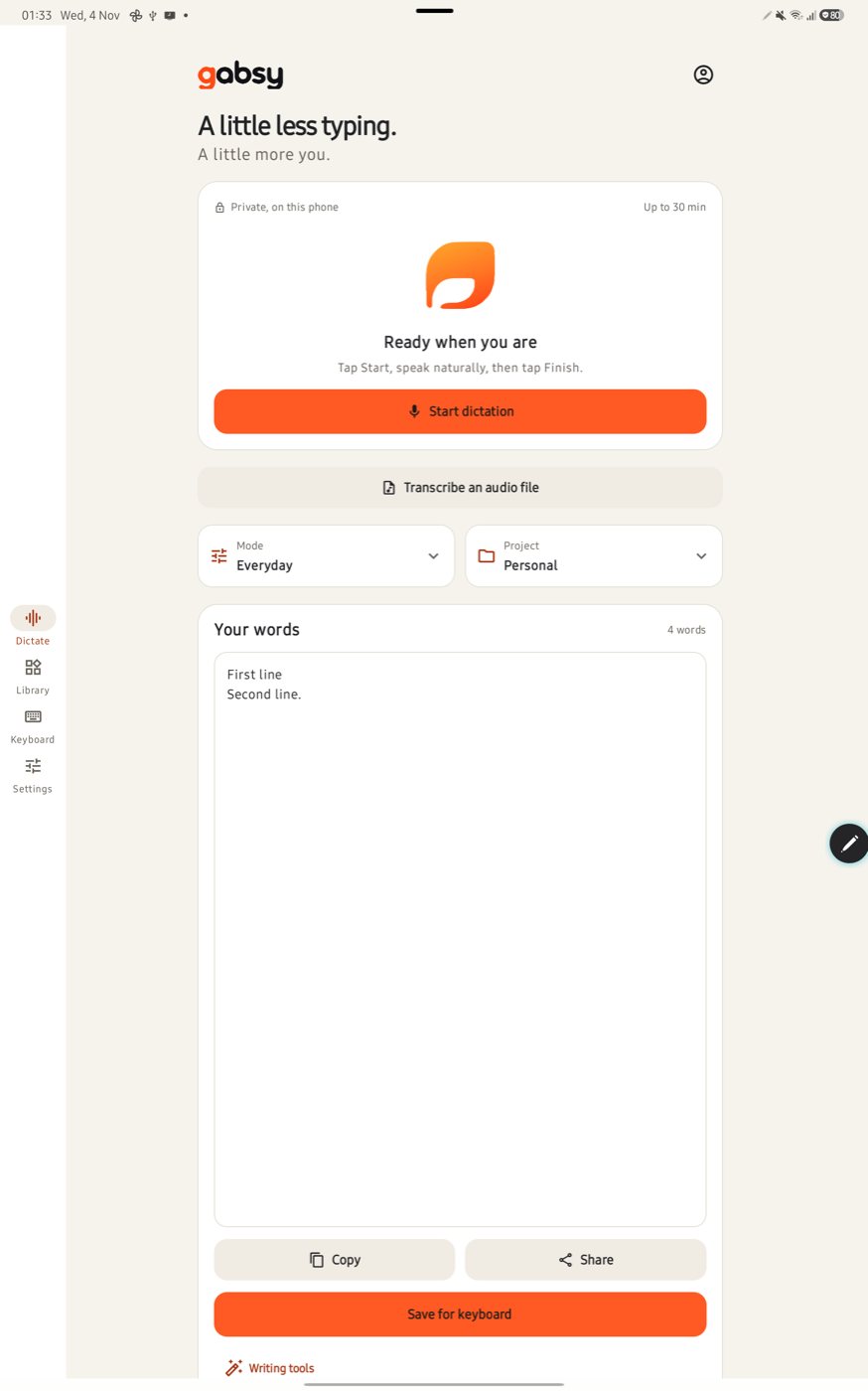
It looked fine at a glance. Up close, it didn't.
The 10 problems
- Off switches you couldn't see. A pale grey pill on a white card. In dark mode they almost vanished. That's the Quiet mode switch, the very setting people look for at night.
- An opacity slider that looked broken. The track ended in a separate stub with a dot, and there was no number.
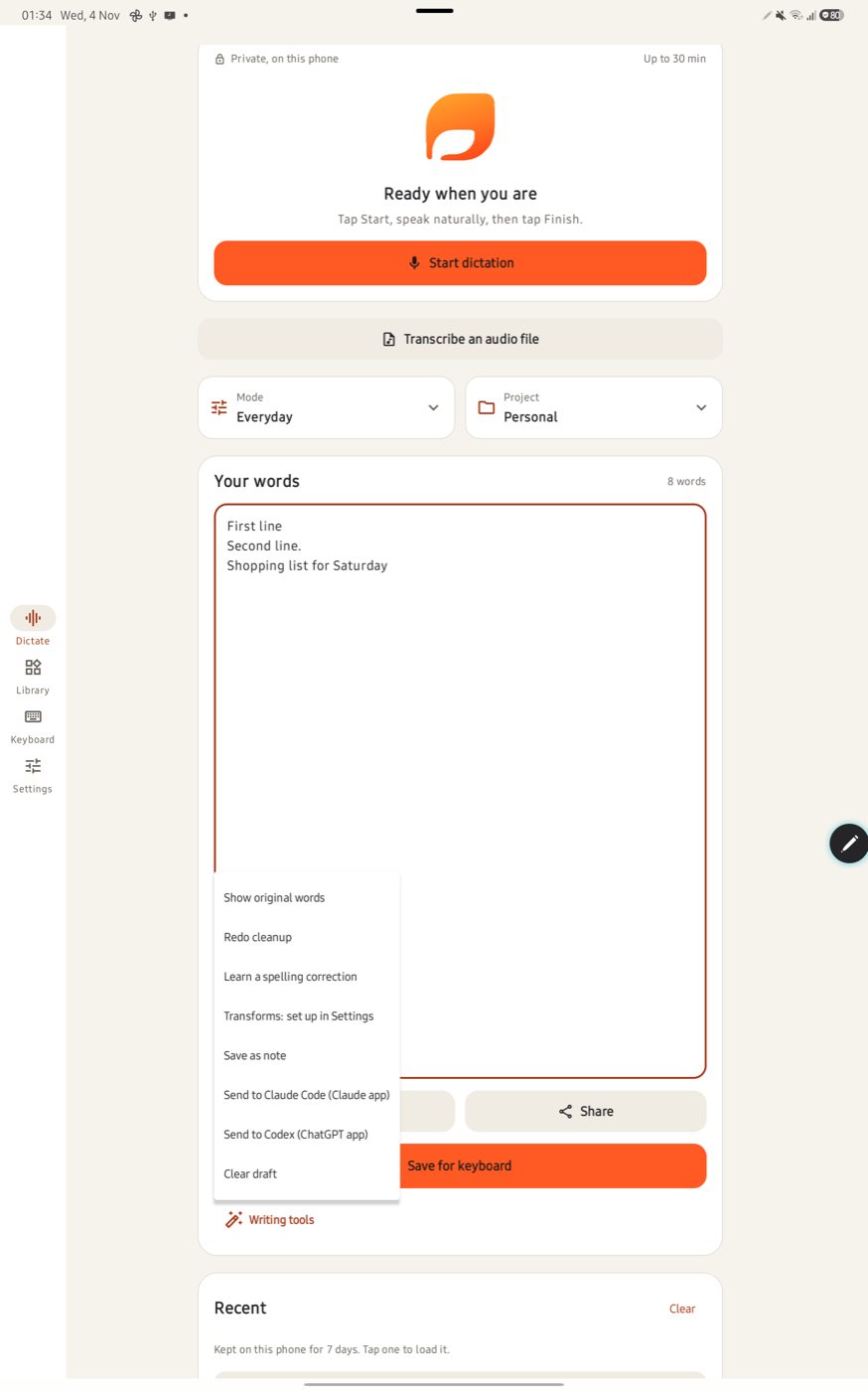
- A Writing tools menu that blended into the draft. White on white, with a faint shadow, covering the Copy button.
- A "Saved" message in the wrong place. You tap "Save as note" at the bottom and the confirmation appears at the top.
- "On this phone", on a tablet. Four times.
- Landscape wasted the screen. One 750 px column on a 2960 px display, with your words pushed below the fold.
- Writing tools sat right on the bottom edge in portrait.
- Orange buttons with dark text. Readable, but the contrast is lower than it should be.
- API key fields with placeholders and no labels, and a Save button that looked active with nothing to save.
- A navigation rail that read as a separate panel, with its icons floating in the middle.
Build 107: what changed
Same tablet, same silent rules, a few hours later.
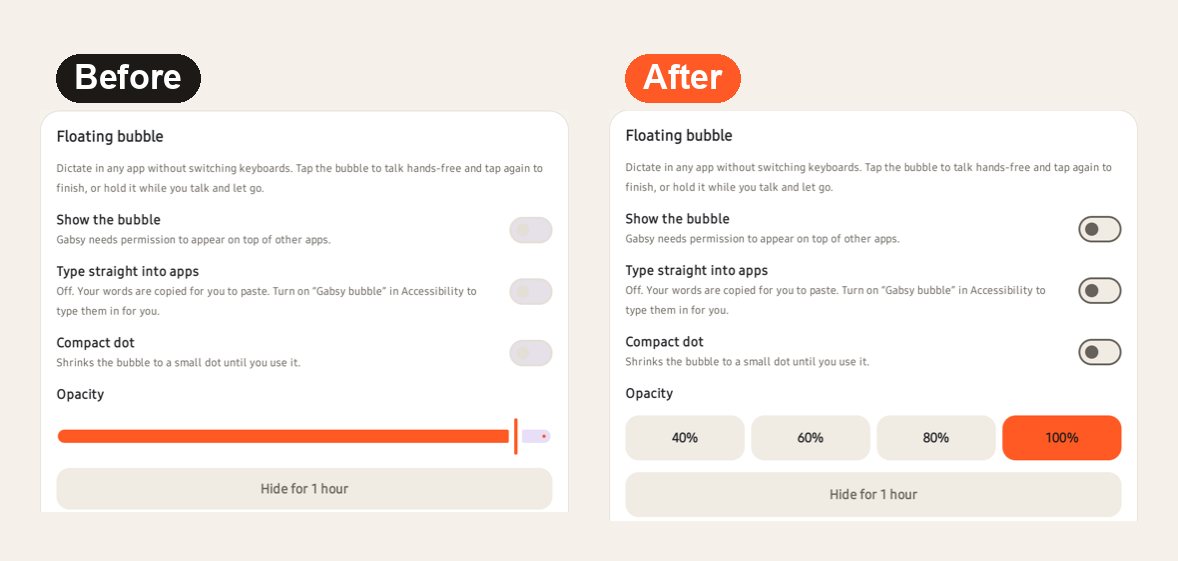
Off switches now have an outline, so you can tell at a glance what's on. Opacity is four clear choices: 40, 60, 80 and 100%. Every "phone" now says "device".
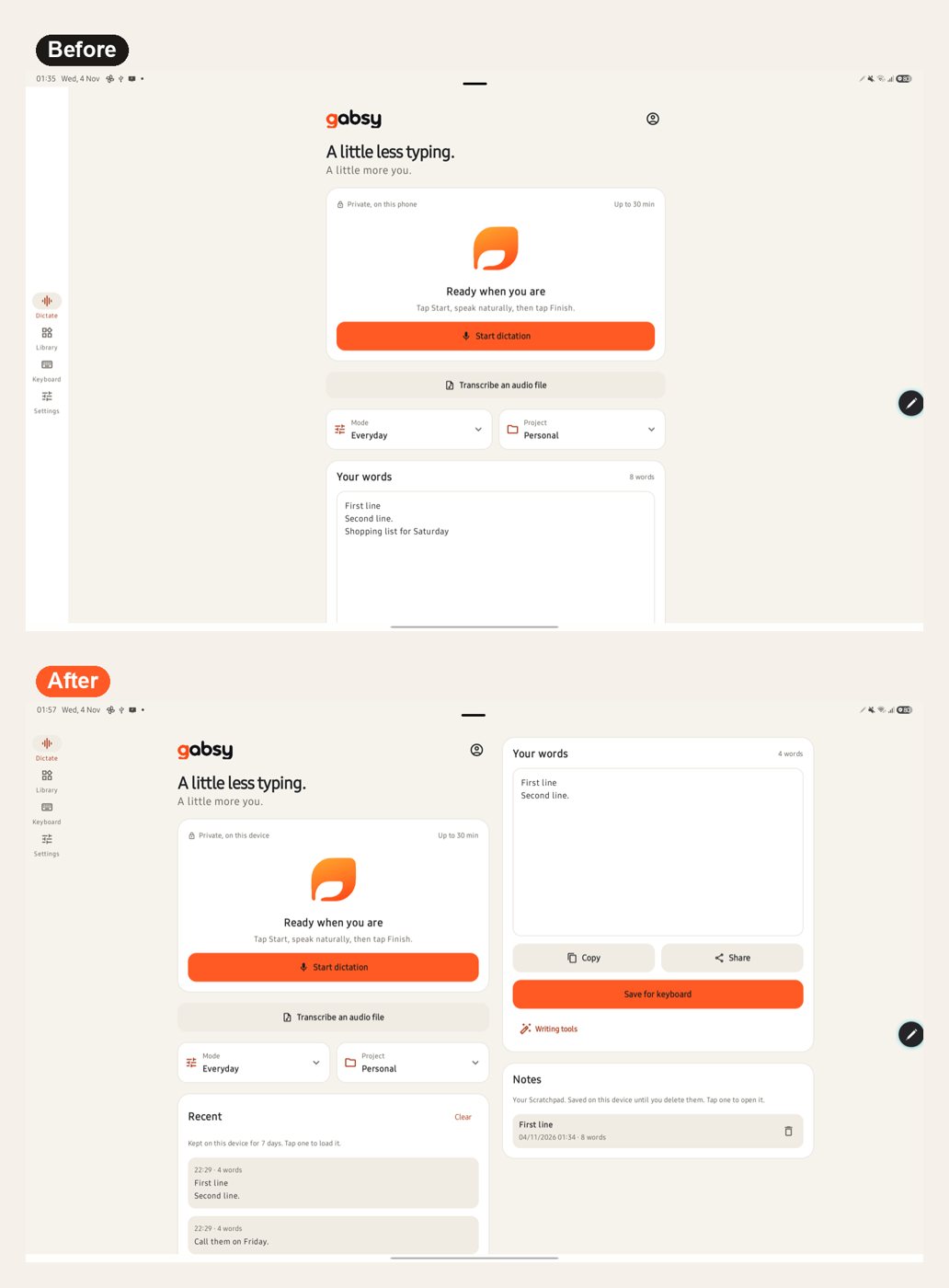
Landscape is now two columns: recording on the left, your words and notes on the right. You can dictate and see the result without scrolling. The navigation now sits at the top, and the Writing tools menu has a proper border.
What's still wrong
Three small things are still wrong, and the retest caught one real bug:
- In portrait, "Writing tools" is now clipped by the bottom edge. One fix made another a few pixels worse.
- In landscape, the two columns start at different heights.
- "Send to Claude Code (Claude app)" still nearly touches the edge of its menu.
- The bug: after the update, the draft came back without its last edit. I'd typed "Shopping list for Saturday" before installing build 107, and that line was gone. Your words are the whole point of this app, so it went straight to the top of the list. It's already fixed: from the next build, Gabsy saves your draft as you type.
I'd rather find that on my own tablet tonight than have you find it on yours.
Why this matters more than the model
A free dictation button gets your voice into text, and that's genuinely useful. Gabsy is for when the text is the start of the job: a message that needs tidying, a note you want to keep, a prompt for your coding agent. And it's for when you don't want your voice leaving the device to get there.
That only works if the app gets the boring parts right, like a switch you can see in the dark or a draft that survives an update. So that's what I'm doing, one screenshot at a time.
Come along
I'm building Gabsy in public. Gabsy is out on Mac and iPhone, and the Android and tablet work is in progress. Get it at gabsy.dev. And if your free dictation app does something you love, tell me. I'd rather learn from it than pretend it doesn't exist.